
Your learning
The Studium area separates courses by what state they are in for you personally. Nothing here is shared with other learners.
What the Studium area is good for
Section titled “What the Studium area is good for”Studium is your personal list of courses. Other learners do not see it, and the courses in it are sorted by what state they are in for you.
- In the morning you know what is next. Your manager has assigned you a mandatory course. You open Ke studiu: the card carries the deadline, if one was set, and the ZAČÍT button at the bottom right. You do not have to ask anyone what is expected of you, or by when.
- A half-finished course does not get lost. You started a course during a break and did not finish. It stays in Ke studiu, the line under the provider says you have started, and the action is POKRAČOVAT. You do not have to remember which courses you left unfinished.
- You know what you have already done. A colleague from HR asks whether you have taken the safety training. You open Dokončené and the course is either there or it is not. No searching through old mail.
- Your own courses do not clutter what you study. You also write content for others. That lives in Vytvořené mnou, so Ke studiu stays a clean list of what you still have to finish.
What exactly a card shows and how to read its state is what the rest of the page explains.
The sections
Section titled “The sections”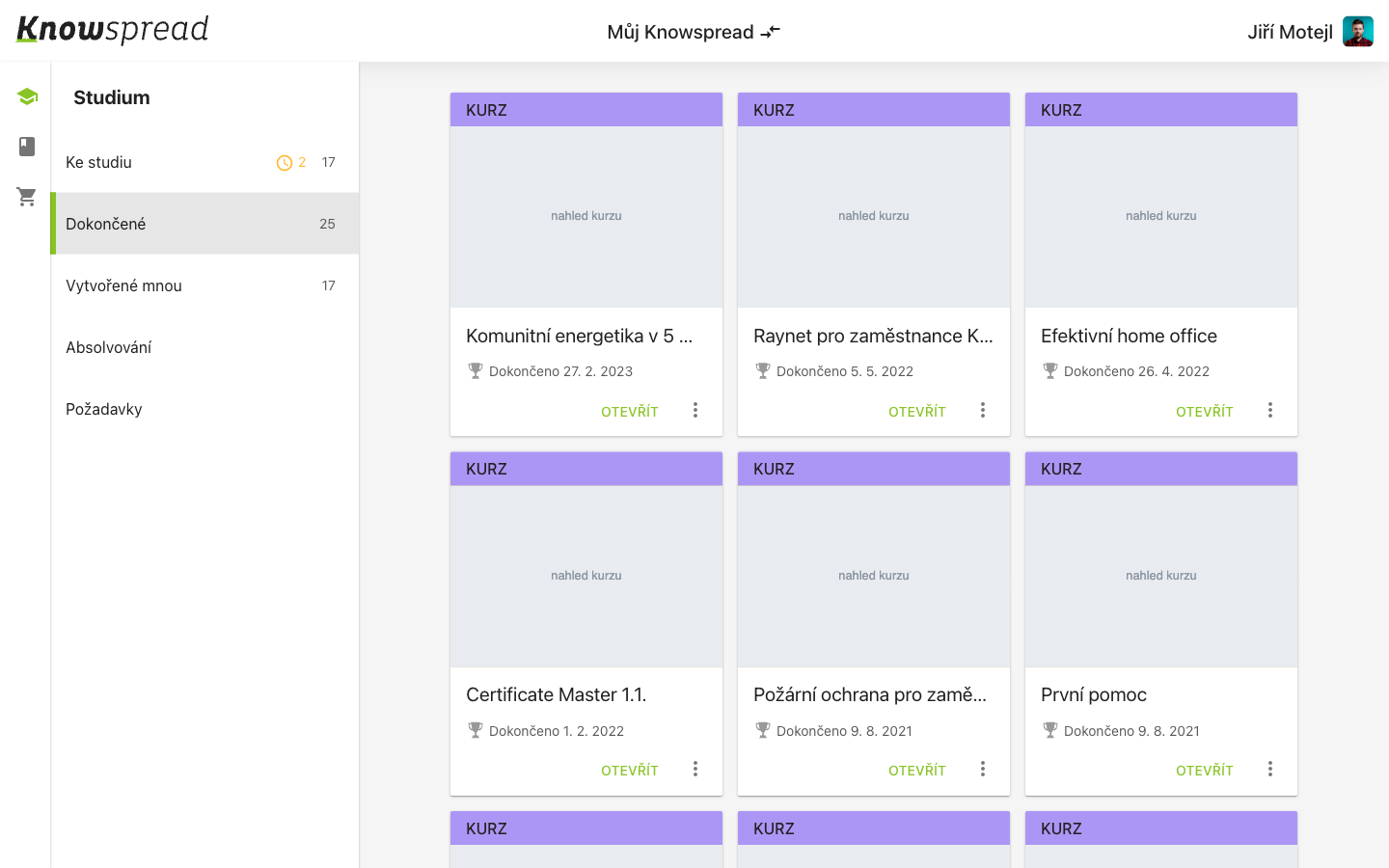
12
- (1) Ke studiu holds what is assigned and not finished. Dokončené holds what you completed, and Vytvořené mnou what you authored yourself.
- (2) Each card carries the provider, the study state, and a deadline when one applies.
Reading a course card
Section titled “Reading a course card”A card shows a deadline only when the assignment sets one. The state line below the provider says whether you have started, and the action at the bottom right is either ZAČÍT or POKRAČOVAT.